Random Photos

My Flickr

Friday, 22 January 2016

ArcGIS and Python Virtual Environments part 2

Making it work with Arcpy

In my last post I went over installing and setting up a Python virtual environment. Now I want to make it work with a specific library in my existing Python installation - Esri's Arcpy.

This is useful as it enables you to access other libraries without having to install them in the virtual environment. As I am learning OpenCV for example, I want to test if I can incorporate any spatial tools in the processing steps. Rather than installing arcpy in the virtual environment, I can simply set it up to be able to access my existing install, then I can just call import arcpy directly.
This could also be useful for GDAL or QGIS tools, or any other libraries you have already installed.

The USGS has a very good write up on calling arcpy from virtual environments.

To summarize:

To use arcpy in your virtual environment, you don't want to copy all the ESRI stuff in, you just want to tell it where to find the ArcGIS installed components. 
To do this, you'll need to place a *.pth file in the Lib\site-packages subdirectory of your virtual environment. If you used the WORKON_HOME variable from the last post, in Windows this defaults to %USERPROFILE%Env.
You can call this file whatever you want, something like "arcgis_arcpy.pth" works.
In the file, you'll need to put all the directories that ArcGIS uses to make arcpy work. The easiest way to get this list of pathnames is to start ArcMap, start the python window, type
 import sys 
then 
sys.path 
and copy the list into a text file. Save this as a '.pth' file. Note that the file should look something like the following (text after a # are comments and will not be read).


# Place in your virtual environment folder ...\\lib\site-packages\ 
C:\\Windows\\system32 
C:\\Windows\\system32\\python27.zip
# Esri specific for arcpy - Note 10.3 specific
C:\\Program Files (x86)\\ArcGIS\\Desktop10.3\\bin
C:\\Program Files (x86)\\ArcGIS\\Desktop10.3\\arcpy
C:\\Program Files (x86)\\ArcGIS\\Desktop10.3\\ArcToolbox\\Scripts
C:\\Python27\\ArcGIS10.3
C:\\Python27\\ArcGIS10.3\\Lib
C:\\Python27\\ArcGIS10.3\\DLLs
C:\\Python27\\ArcGIS10.3\\Lib\\lib-tk
C:\\Python27\\ArcGIS10.3\\lib\\site-packages

Put the file into the "\lib\site-packages" folder in your virtual environment folder (which was set up in the previous post). You should now be able to import arcpy and use it with other libraries. 

Tuesday, 19 January 2016

ArcGIS and Python Virtual Environments part 1

I recently learnt how to get Python virtual environments set up on Windows with ArcGIS installed, and thought it would be useful to write the notes up. This post covers installing a virtual environment.

Why would you want to do this (use virtual environments that is, not use arcpy)?


ArcGIS installs it's own version of python in the c:\python27\ArcGIS10.x folder. Upgrading ArcGIS will cause it's own particular version to be installed in a folder specific to that version. These should be left alone, as upgrading modules in them may cause all sorts of issues and potentially break ArcGIS stuff. So ideally we want to keep the ArcGIS python install as vanilla as possible. But what about when you want to experiment with other libraries, or need to test/develop against a different version of a library?

Virtual environments to the rescue! This post will explain the steps I took to getting Python virtual environments up and running for Windows, with particular notes for those whose Python install is the default ArcGIS installation (which is a little different than normal). However, most of the steps are applicable to any windows Python installation.

I found these sites very handy while reading up on installing virtual environments, and worth referring to if you have problems. In fact, you should open these and have a look through them now.
There are two main steps.
  1. Installing and setting up a Python virtual environment so that we can install additional modules without affecting the ArcGIS python install, and 
  2. Getting that virtual environment to interact with the ArcGIS python installation so that we can use arcpy.
To do this we will be working in cmd.exe (the command interpreter/shell/terminal) hereafter called 'cmd'.
This does not normally need to be an administrator level, so open up cmd.


In cmd, navigate to your installed python folder (example is ArcGIS 10.3) by typing:
cd c:\python27\ArcGIS10.3

Next we need to install pip.  Pip is a package management system that can install python packages. If you don't have pp installed, the easiest way to do this for windows is to download get-pip.py from here.

Move the downloaded get-pip.py file to the directory above and in cmd run:

python get-pip.py

Now you should have pip installed, which will make the rest easier.

Add the ArcGIS python folders to the environment path if they are not already. For ArcGIS installs (windows) also add the  \Scripts folder.
The path settings can be found in My Computer > Properties > Advanced System Settings > Environment Variables >
Add the following to the end of the environment path:
     ;C:\Python27\ArcGIS10.3;C:\Python27\ArcGIS10.3\Scripts
 
The next step is to install virtualenv. Virtualenv can be used to separate installs for development purposes. See the Python guide or Kenneth Reitz's virtualenvs github docs.

There is also virtualenvwrapper-win, a wrapper for virtualenv for windows that makes it easier to manage environments. You will need virtualenv installed first though.
To install virtualenv, you should only need to type

pip install virtualenv

In case of error:
Installing modules can be tricky on Windows, in many cases the files will need to be compiled and this might fail if you do not have Visual Studio 2008 installed. There are three potential ways to address this.

  1. Install a compiler:
    1. Install Visual Studio 2008 Express, or download and install just the compiler tools from https://www.microsoft.com/en-us/download/details.aspx?id=44266 .
    2. upgrade setuptools by running pip install --upgrade setuptools
    3. open a new cmd prompt and try the install again.
    4. type pip install virtualenv
  2. Use the  --use-wheel option:
    1. Type pip install --use-wheel virtualenv
  3. Download the appropriate precompiled wheel file and run directly
     
Install the virtualenv wrapper for windows:
 pip install virtualenvwrapper-win

In order to manage all our potential virtual environments, virtualenvwrapper has some handy features. You can set a default folder for your virtual envs to be installed to!

Type   
export WORKON_HOME=~/Env
to create an "Env" folder in your home directory (In Windows, the default path for WORKON_HOME is %USERPROFILE%Env). This will become the default location. If you don't want to do this, just make sure that you are in the appropriate folder before creating your virtual environment.

Now we are ready to create a virtual environment and switch to it. The following uses virtualenvwrapper. https://virtualenvwrapper.readthedocs.org/en/latest/command_ref.html#managing-environments

In your command prompt type:
mkvirtualenv myenv
then (if needed):
workon myenv

The virtualenv name will appear to the left of the path, e.g.,
           C:\users\~
mkvirtualenv result
You can see what is installed by default using pip list to list installed modules. You can now install whatever you need, safe in the knowledge that it will not affect your other install of Python. 

To deactivate the virtual env  and return the to default installed Python, type
 

deactivate
The cmd path will now not have the env name next to it, showing that we are out of the virtual environment.


If you installed virtualenvwrapper, you can also type 

rmvirtualenv myenv
to delete it. This will not delete the folder that was made though.
 
In the next post I will cover the setup needed to easily call arcpy from your new virtual environment.

Monday, 12 May 2014

Combining address fields into a Google Spreadsheet from a form

I was asked to help out with a project, involving a form-to-map website idea. This was to be based on a Google Form, feeding a Google Spreadsheet. This was then pushed to a Google Fusion table and eventually consumed in a WordPress app.

The form collected address data, and the first hurdle was that the data was in several fields (the fusion table expected one for geocoding). After they showed me what they needed I immediately started googling (as you do) to see what had been done before.

Fairly quickly I found that a) Google Scripts use javascript and b) you could connect a script to a spreadsheet and trigger it from a form submit. However much of the code I saw online used the e.values[i] approach, and I was using e.namedValues['name']. Once I tracked down a comment mentioning that you needed to either use e.namedValues['name'].toString() or e.namedValues['name'][0] it all came together quickly. Chris Keller has a particularly informative post on this sort of thing, so I included my version of his geocoding code below.

The input data is then concatenated to provide a geocodable string. The optional section (currently commented out) does the geocode and returns the lat long values. Either (or both) could be used as desired. This example assumes there is a "Location" column in the spreadsheet for the concatenated string, and a "LatLng" column if you are doing the geocode.

  1. Open your spreadsheet, and click Tools, Script Manager. 
  2. Make a new script and choose "spreadsheet". 
  3. Add the code below, change as desired and save.
  4. Click Resources and "Current Projects Triggers".
  5. Add a new trigger as below, with 'concatAddress' under Run, 'From Spreadsheet' under Events and 'On form submit' at the end. You can edit the notification if you like.
  6. Give it permission if requested.
  7. Save that, and you should be done.
Trigger properties. When the form is submitted, concatAddress is run.

Code:


//concatenate address data and add it to a 'Location' column

function concatAddress(e) {

  var sheet = SpreadsheetApp.getActiveSheet(); //get the sheet

  var lastRow = sheet.getLastRow(); //get the last row (this is the newly added one)

  //fields to concatenate

  var address1 = e.namedValues["Address"].toString();

  var city = e.namedValues["City"].toString();

  var state = e.namedValues["State"].toString();


  //join the fields into single string, with delimiters

  var geocodeString = address1 + ", " + city + ", " + state;


  //update the value in the appropriate column

  sheet.getRange(lastRow, getColIndexByName("Location")).setValue(geocodeString);


  //we can also geocode the result directly into another column

  // uncomment this to do so

  /*

  var results = Maps.newGeocoder().geocode(geocodeString);

  if (results.status == 'OK') {

    var bestResult = results.results[0];

    var lat = bestResult.geometry.location.lat;

    var lng = bestResult.geometry.location.lng;

    var latLng = lat + ',' + lng;

    sheet.getRange(lastRow, getColIndexByName("LatLng")).setValue(latLng);

  }

  */


};

// look up the column index by supplied name

function getColIndexByName(colName) {

  var sheet = SpreadsheetApp.getActiveSheet();

  var numColumns = sheet.getLastColumn();

  var row = sheet.getRange(1, 1, 1, numColumns).getValues();

  for (i in row[0]) {

    var name = row[0][i];

    if (name == colName) {

      return parseInt(i) + 1;

    }

  }

  return -1;

};

Monday, 11 November 2013

Autumn light

Autumn! Or Fall as they call it here. Some nice sunsets and the leaves are changing, and it's getting much colder to be standing around as the sun goes down, that's for sure...


Mr Strader gets his shot

Tuesday, 21 May 2013

Graduation!

Graduation! Just here with my fellow Geography grads at the NIU graduation ceremony. Me, Andy, Kris, Alex and Trevor.

Sunday, 7 April 2013

Spring

Spring has sprung! With warming weather the snow and ice has basically all gone now, and we even had a thunderstorm last night.

The warm weather has also brought more people out walking and running, and of course shopping. I am sure that mall carparks are more crowded in the warmer weather. It's nice to be out in the sun though!

Thursday, 7 February 2013

Let it snow

So a week back I posted on Facebook that DeKalb's winter so far had been, well, a bit weak. To be fair, for the last 18 months my colleagues have been warning me about the bitter cold, the mountains of snow, the general bleakness of winter here and it just hasn't been the case.
Today it started snowing, big flakes of it, resulting in a couple of inches on the ground by the time I was heading home. About time!
So here are a couple of views of Davis Hall for you to enjoy.
Davis Hall
The view from the second floor

Friday, 14 December 2012

The DeKalb Navy?

Strange ships have turned up in various small ponds and lagoons around DeKalb, and I snapped a few photos with my phone to share them. The first ones I noticed were in the West Lagoon at NIU campus, and consisted of what appear to be small submarines.

Submarine in NIU West Lagoon

Nobody in the Geography Department seems to have any idea what they are, apart from the Department Chair who suggested they may be an art project. Other ideas were some sort of monitoring equipment, or to keep the geese off. While the geese don't get too close to it, it certainly doesn't scare them away.

Out by Lowes however there are more of them in a small retention pond, and they seem to represent a small navy... in the photo below you can see that one is partially sunk.

Possibly the result of a battle, or an aggressive goose

Large Battleship on patrol by Lowes. Submarine in the background.
So the art project seems to be the most likely option, although why there are only submarines by NIU is a bit of a mystery. I would expect less people would see them down by Lowes where they are below street level and beside a car park. There seems to be some sort of tugboat in the Lowes pond as well, I couldn't get a good photo but it is painted red in parts.

Thursday, 25 October 2012

The blogger android app sucks

It showed me a duplicate of my post, making me think I had posted it twice, so I deleted it. Of course it wasn't duplicated!

Wednesday, 28 March 2012

Where does the time go?

Busy, crazy busy. As I write this, realising that it has been ages since I posted here last, I am installing Autodesk 3DS Max, Autocad Map 3D and AutoCAD (hooray for student deals!). I have also installed UNITY and Google SketchUp. So far I have only used SketchUp, but there is still time.

To procrastinate and have a break from all this work, I have been out bass fishing. Really, it's chucking plastic worms around in a muddy waterway that's bigger than a pond but smaller than a lake. As you can't see the fish (or even your own lure most of the time) it's not particularly exciting, and unlike fishing in say, Queenstown, the views aren't exactly stellar either. Of course the first time I catch one of these bass might be a whole other story...

I did play around with doing a timelapse of clouds though, thanks to Stephen the met master. Ridiculously easy with the timelapse movie function on the G9, might have to do some more. Once I get my tripod I can also try it the old fashioned way with the 40D and my new intervalometer!


We did get one last blast of snow in January before winter gave up with a whimper, the last few weeks have been toasty warm, shorts weather for the most part and the grass is green and the trees are budding and blossoming like crazy. Hence the fishing and picnicing.

One last view of the winter, bye!

Monday, 2 January 2012

2012 goals

So the new year has started, and even though my first day of it consisted mainly of sleeping (a result of partying until 5 am and half a bottle of 18 year old Johnny Walker Gold), a few thoughts began to surface around what I wanted to achieve this year.

The first thing that sprang to mind was improving my Spanish. Even a couple of weeks here in Arequipa being basically immersed in the language hasn't boosted me as much as I'd hoped, which I suspect is mainly due to a limited vocabulary (I am better than I was though). It's time to start getting serious about it and doing some structured learning and workbooks. Luckily I will get to practice it at home.

The second thing is improving my coding skills. I started with VBA, building MS Access front ends and small Office tools. MapBasic came next, learning by doing and by trying to fix a broken application at work. The next step was converting VBA code to run in ArcGIS10, deciding on VB.NET for ease and speed reasons. I also built a few add-ins for ESRI products. I also played around with Python, mainly in ESRI again (data driven pages etc). But with such an informal path I feel like I am missing some solid background, so will be addressing this first. I may also look at learning C#, which seems to mark a person as being a more serious GIS developer type than VB.

Both of these should have immediate benefits and feedback, which hopefully should go a long way towards keeping me motivated. Plus the coding aspect (esp Python) will be important for my thesis work which is an added incentive with specific timeframes included. And writing it here gives me that much more reason to stick with it!

print "Happy New Year!"
print "¡Feliz Años!"

Thursday, 29 December 2011

In Arequipa

Arequipa, Peru!


The main plaza - town centre

Hot, dry, interesting, chaotic, dirty, messy, a complete free-for-all. Amazing! America doesn't have entrepreneurs like Peru; everywhere there is a little business underway - from selling ice creams, corn, newspapers or plastic bowls to food vendors, shoe shiners or car sales - its all there on the street. Arequipa is full of little yellow taxis called Ticos made by Daewoo - a ride in one makes you feel like part of the street and anything bigger than another Tico seems positively threatening. If you want to experience a real adrenaline rush, better than any bungy jump, climb into the back of a Tico, give the driver your destination (and haggle the price a little) then add "muy rapido, por favor". This phrase will guarantee the driver will take every opportunity to get you there quicker (expecting an extra tip if he does) and the resulting ride is similar to the famous Shotover Jet ride in Queenstown NZ, but with added traffic. And the traffic is something else, hopefully I will get a video to show it in all it's stupendous clamour.


The ubiquitous Tico

Note this is only two lanes wide, and the person getting out is not parked but rather decided to jump out here.

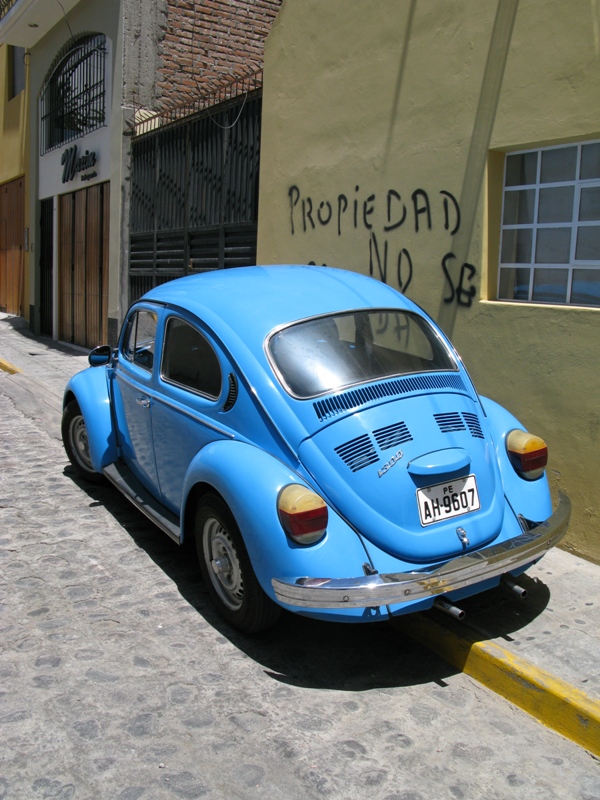
One thing that did surprise me since my first visit (in 2004) is the number of brand new cars on the road. Arequipa is very dry and vehicles tend to last quite well, but obviously Peru's recent growth has created plenty of money for the middle classes, as Audis and BMWs as well as high end Chev and Ford models are seen regularly. I don't imagine that many locals would be keen to try and drive a Porsche or Ferrari on the streets here but I don't doubt that one may be found in a garage in a quiet part of town. But generally you see recent Japanese and European sedans making up the bulk of the private cars. Interestingly I have seen a fair number of older cars which have been clearly lovingly repaired and restored to a degree, and there are a lot of VW beetles and 1980 Japanese cars which look immaculate.


1967 VW Beetle

The weather has been a welcome break from the experience of DeKalb's descent into winter, with an average so far of approx 30 degrees Celcius most days and dry and sunny. It is the start of the rainy season here however, and we have had a couple of heavy downpours and some light afternoon drizzle on occasions. To be honest they are actually quite welcome and refreshing, adding some much needed humidity.

So far, after a lovely christmas dinner with family, we have been mainly walking and exploring. And enjoying an afternoon siesta of course. Our usual day consists of getting up for a leisurely breakfast and an explore about mid-morning, be back for lunch around 2pm (3 courses) and after a brief siesta go back out about 5 for a stroll, remembering to be back in time for supper about 8 or 9.

We have also been out on the household shopping trips a couple of times, usually these are fairly involved affairs as the favoured market is driven too, good selected then the next market visited, perhaps a supermarket for one or two items, then usually a return for something forgotten or an entirely unexpected (to me at least) trip elsewhere unrelated to shopping. This may take a few hours and is usually repeated a couple of times a week.


They take their potatoes seriously, with their own section.


At one of the fruit and vege markets
The markets are of course full of everything you could want; fruits, vegetables, meats, fish, cheese, plastic bowls, cake tins - in fact goods of all kinds, but some of them are apparently better for certain things. For anyone used to supermarket shopping it is well worth the visit to see how things actually are - nothing like a row of cow heads and entrails to remind you where your meat comes from as the butcher dismembers another carcass in front of you. The row of cuy (guinea pigs) carefully laid out with entrails included to prove the freshness I have decided not to post just yet...


Want pork?


Artfully displayed fruit is standard
But the thing I really love about Peru's cities is the architecture. From the Aztec to the Colonial and right up to the modern day, Peru has it all somewhere. Unfortunately a lot of the Aztec buildings were demolished by the Spaniards (although Cusco has a good selection) and in their stead they erected large imposing buildings to stamp their mark on the New World. The photo at the top shows the main plaza of Arequipa and the large church built by the Spaniards (and subsequently repaired many times due to earthquake damage). The photo below shows a typical street of the colonial section of town (in this case surprisingly free of people).


Colonial street in Arequipa
Moving more towards today it is clear that rapid growth and population pressure along with lax building codes and apparently non existent planning resulted in some pretty shocking buildings going up and a lot of people subdividing their land to make some money. In many cases they couldn't divide so they went up - in fact building up seems to be the main activity here as it is rare to find a building less than two floors which does not have some partially completed extra floor or protruding reinforcing rod up top. But while the results often resemble a child stacking blocks, there are plenty of interesting buildings around, often with a variety of colours as well...


note the staircase
Finally, we managed to get out of the city for a day and visit a farm and some countryside, a lot of which is slowly being urbanised as the population flood into the city for work and opportunities. Many suburbs start out as little more than a collection of houses, built illegally, until they reach the critical numbers to force the city to provide a water and sewer infrastructure, and are now almost indistinguishable from the city proper as they have been absorbed in and new suburbs appear outside them. We got out to one of the hydroelectric generation schemes serving Arequipa, and which has started supplying water as well. The main generator has been operating continually since 1905!


I think I remember this from New Zealand...


Dam #1, operating since 1905


Downstream from Dam #1
The plan after New Years is to get down to the beach for a few days rest before returning to the US!

Friday, 25 November 2011

A Very American Thanksgiving

Our first Thanksgiving in the USA! We had a nice quiet night at home, cooked an applewood smoked turkey roll, some potato cake and vegetables, cranberry and apple sauces and a New Zealand Pinot Noir... very nice. Then we decided to pop down to Walmart about 10pm to see if we could get some toys cheap - they have a tradition of big sales at Thanksgiving ("Black Friday"), usually starting on the 25th, this year Walmart started their toy sale at 10pm on the 24th. Packed is not the word. Not only were there thousands of people there but most of them had shopping trolleys. A quick look revealed that they didn't have what we were after so we left, glad we weren't queuing up at the checkouts.

But I still got up at 6:30am to pop down to Officemax to pick something up on sale, turns out the place was quiet! No queues, very few people, so I was in and out pretty fast. I guess their sale wasn't as sought after (Best Buy had a queue around the block before midnight so I didn't bother going in). But the best fun was yet to come...

We had been invited to go target shooting, so after breakfast we set off west, to a small gun club out near a town called Polo. Andy was there with his wife and some other family members and a surprising array of guns - a 7.62mm AK47 with modified stock, a .22 MP5 knock off, a 9mm MAC-11 uzi type thing, a couple of .22 pistols, a Ruger 9mm pistol and there was also a Civil War pattern black powder revolver and rifle and a Colt 45 cowboy revolver as well!

Just some of the selection...

He had a range of targets set up including some blocks of ice. I had to have a go with the AK of course, powerful and surprisingly accurate (it was a semi-automatic, no autos allowed).

Striking a pose for la revolucion


The black powder rifle was impressive - smoke and noise!

And I wasn't the only one having fun.


So, much fun was had, the black powder guns produced a lot of smoke and an almighty deep bang, the .22's were very accurate and the Colt 45 was surprisingly easy to use (I don't know how those cowboys fired them one handed while riding a horse though). I managed to hit the targets a fair amount of times but by far my best effort was when a Walther PPK pistol was produced - the James Bond gun - and I got to have a go. 7 shots and 7 targets down, very easy to use and aim. Nice!

A short vid showing some of the action:

Tuesday, 8 November 2011

Getting my Illinois Drivers Licence

OK, I haven't done a lot of driving over here so far, a bit of local stuff and some cruising to Chicago and back. Luckily I have my navigator ;), by far the worst part of driving in any new place is finding your way around and when it's on the other side of the road trying to concentrate on navigation is just one more undesirable distraction.

So far I have been just using my NZ drivers licence, as far as I can tell according to Illinois law it is perfectly legal as long as I have a valid visa, so on my F-1 I am good to drive with that for at least a couple of years. However it is also a requirement to have insurance, and the insurance company demand that I get an Illinois licence within 30 days, or be in the process of getting it.

To get an Illinois Drivers Licence however you need a Social Security Number (SSN). If you're unfamiliar with what this is, it is a magical number that is required to do most things in the US, but if that number gets in the wrong hands then it can cause problems (think credit issues linked to you via your SSN). It is not just a tax number (like the NZ IRD number or the NI number in the UK).

As a foreigner I have to apply for a SSN, and this can take several weeks. You may be able to spot the potential issue here with my drivers licence... Anyway, I could apply through the university, a Social Security representative turned up to go through all the paperwork of the hundred or so of us in the line and told me I would have mine in a few weeks.

In the meantime I was reading through the Illinois road code - as Illinois has no licence recognition agreements with any other countries (or indeed other states from what I can tell) and requires you to sit the full test. I was a bit nervous, I haven't sat a driving test in years and this was in a foreign country driving on the other side of the road. I think I have it down pretty well but who knows what I would need to do - parallel parking for example is pretty rare here and I haven't done one while driving on the right. As an aside I am surprised how much less flexible I seem to be looking to my right through the back window than when I had to turn my head left to do it. Seriously, I am a good few seconds slower at orienting myself in the car as well, I guess all those years of practice have made it second nature and now I have to learn a new side!

In the end it was a bit of an anticlimax. I turned up and took my number, waited,  handed over all the documentation, proof of address, passport, visa etc and went over to a little booth to sit my exam. 20 questions on basic road code (about a third was "what does this sign mean") and I was back to the desk to let them know I was done. I then just had to wait until a driving examiner was available.

The driving test was super basic. I mean, all I really did was turn left and right and do one three point turn. I also had to pull over at one point and then tell the instructor how I would turn the wheels if I was parked on a hill. No parallel parking, no hill starts (no hills), not even driving on multi-lane roads. I did clear up an argument for the staff though, they were evenly split over whether we drove on the right side or the "wrong" side of the road in New Zealand

So now I have a US drivers licence in the state of Illinois. One definite benefit is now I have a State ID, invaluable as otherwise I had to use my passport for everything. And I have only driven on the left once so far...

Thursday, 3 November 2011

Red sky at night... Shepherd's delight!

An amazing red sky tonight, unfortunately I didn't have anything other than my phone at the time and I don't think it did the colour of the wispy clouds justice, they were a deep purple/red.


Luckily I managed to get home and get my camera in time to catch some of the sunset near home.


Sunday, 30 October 2011

Moving my RAW files with Python

When I am out taking photos that I think might warrant more attention I often use the RAW+JPG mode, if I get a really great shot that I want to edit further then I can use the RAW file otherwise for quick stuff I can just use the JPG. If it turns out that all my photos are rubbish I might just delete the RAW files altogether. Regardless I like to make a new folder for the RAW files, as well as a folder for edited and uploaded files (which I usually resize).

When I decided that I should really learn Python I thought this would be a neat little project to get started with and I eventually created a script which managed this task for me, creating the RAW folder and moving the files. When I got my new laptop here in the US I realised that I had failed to backup this script, so I had to redo it. Now, my Python skills are pretty basic and fairly rusty - and in fact most of my work with the language has been done with ESRI products, particularly in automating Data Driven Pages in ArcMap. A bit of googling and I had the bare bones, a bit of tweaking to make it a little more versatile and I had my script.

No doubt anyone out there who knows Python better could replace it with a handful of lines but as an occasional programmer I like to keep things obvious and relatively well documented as I may not revisit it for a long time.

The Python script below runs after I have imported the photos from my camera (via the EOS Utility) and adds in the folders I want as well as a RAW folder if it finds a RAW file, moving those folders afterwards. This simplifies my fairly haphazard workflow and keeps things fairly tidy. Note that it is hardcoded and only looks for Canon RAW files as is.


# Grant Herbert 29/10/2011
# Python script to manage RAW files imported from 40D.
# 
# Looks through the folders in my Pictures folder.
# If it finds RAW files (cr2),
# creates a RAW subfolder (if needed) and moves them into it.
# Also creates Editing and Uploaded folders if an image file is found

import os, shutil

start_folder = "C:\Users\Grant\Pictures"
print "----------Starting------------"

#create RAW folder
def c_RAW(p):
    p1 = str(p) + '\\RAW'     
    if not os.path.exists(p1):
        print "Creating", p1
        os.mkdir(p1)

#create Edited, Uploaded folders
def c_Edit(pp):
    p2 = str(pp) + '\\Edited' 
    p3 = str(pp) + '\\Uploaded'
    if not os.path.exists(p2):
        print "Creating", p2
        os.mkdir(p2)
    if not os.path.exists(p3):
        print "Creating", p3
        os.mkdir(p3)

    
#find RAW files
def findRAWf(path):
    count = 0       #initialise count
    filelist = os.listdir(path)
    for f in filelist:
        f_lower = f.lower()     #ignore case
        if f_lower.endswith(('.cr2', '.jpg', '.jpeg', '.tif', '.tiff')):    #search for any image files
            c_Edit(path)
        if f_lower.endswith('.cr2'):    #search for Canon RAW files
            c_RAW(path)    #RAW file found, create folder if needed
            #rename file using shutil to keep metadata if possible
            shutil.move(path + '\\' + f, path + '\\RAW\\' + f)
            count = count + 1
    if count > 0:
        print count, "RAW files found and moved"

#search folders in start_folder
#ignore files
for name in os.listdir(start_folder):
    folder = start_folder + '\\' + str(name)
    if os.path.isdir(str(folder)):  #is a directory
            print "searching", folder
            findRAWf(folder)
#when finished
print "----------Completed------------"

Saturday, 29 October 2011

Shabonna Lake and Wind Turbines

So this weekend I decided to go check out Shabonna Lake, which apparently is a bit of a local fishing spot*. I texted my mate Stephen, who was keen to come and show me around, so today we cruised over there to have a look. There was a cool wind with a bit of a bite and most of the trails were closed because of hunting season but we got a few photos.

*They have Muskie, Crappie, Bass, Walleye and Catfish - interestingly you're only allowed to keep a Muskie if it is over 48 inches long!


Cloud formations (well, I was with a meteorologist)

Autumn colours mostly gone

Wind turbines in the corn fields

The wind turbines are pretty big

Friday, 7 October 2011

Chicago river trip

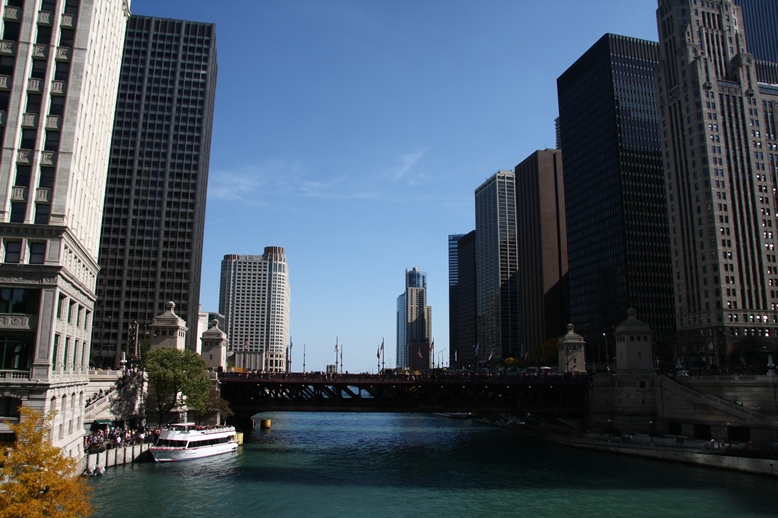
We had a great forecast so decided to head into Chicago and do a river tour. It certainly was a good day for it, nice clear skies and pretty warm for Autumn. We had a great day walking around, checking out the city sights and doing a little window shopping.

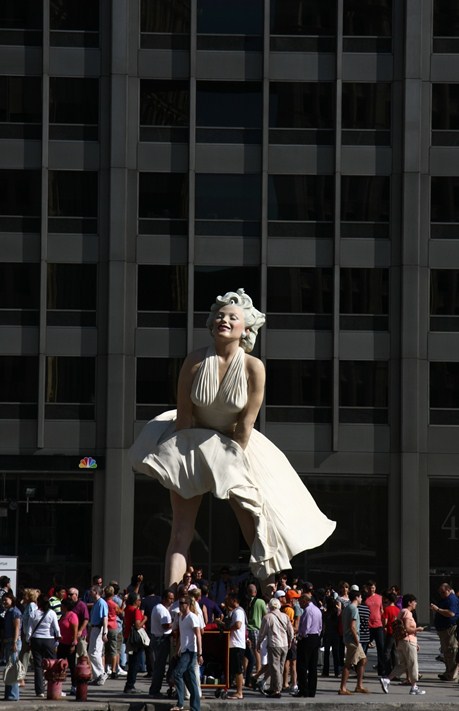
Marilyn wows the crowds
So it was time for our boat trip, nicely timed for late afternoon light...
Looking towards Lake Michigan from the base of Trump Tower

Heading along the river

The Sears Tower (now Willis Tower)


Trump Tower - now headed back towards the lake

Chicago likes going up!


In the lock about to enter Lake Michigan